Track LLM calls from the Vercel AI SDK and OpenAI: traces and token costs
Send your app's LLM calls to AI observability to see each trace, who made it and what its tokens cost.
Wrap your LLM client with PostHog's @posthog/ai package. AI observability then records each LLM call, groups the calls into traces and works out what they cost from the tokens used.
Before you start
You need:
your PostHog project token, which starts with
phc_;your PostHog host, the address of your PostHog instance.
Both are in your PostHog project settings.
The code below is from PostHog's docs as of 31 October 2026. If a line fails, check PostHog's current docs.
Vercel AI SDK
These steps assume your app already uses the Vercel AI SDK with its OpenAI provider.
Install the PostHog Node SDK and
@posthog/ai. This command also installs the OpenAI Node SDK.``
bash npm install --save posthog-node @posthog/ai openai``Create a PostHog client. Replace the placeholders with your project token and host.
```javascript import { PostHog } from 'posthog-node'
const phClient = new PostHog( '<ph_project_token>', { host: '<ph_client_api_host>' } ) ```
Wrap your model with
withTracing.```javascript // For Vercel AI SDK import { withTracing } from '@posthog/ai' import { generateText } from 'ai'
const model = withTracing( openaiClient('gpt-5'), phClient, { posthogProperties: { $ai_span_name: "Generate Product Description", product_category: "electronics", target_length: "short" } } ) ```
openaiClientstands for your Vercel AI SDK OpenAI provider.$ai_span_nameis the name your trace shows in PostHog. The other two properties are examples: use your own. The docs also show aposthogDistinctId: '<your_distinct_id>'option next toposthogProperties, marked optional, to link the calls to a user.Call the wrapped model.
``
javascript const { text } = await generateText({ model: model, prompt:Write a product description for: ${productName}})``Send the queued events before your code stops. In a serverless function, await
phClient.flush()before you return. Callshutdown()only when you're done with the client or before your program exits:``
node await client.shutdown()``Here
clientis your PostHog client,phClientabove.
Keep one shared PostHog client outside your handler, so every call reuses it. The help article "Server-side and serverless: don't lose events (flush and shutdown)" explains flush and shutdown in detail.
OpenAI Node SDK
Install the PostHog Node SDK,
@posthog/aiand the OpenAI Node SDK. Skip this if you already ran it above.``
bash npm install --save posthog-node @posthog/ai openai``Create a PostHog client and an OpenAI client that reports to it. Use the
OpenAIclient from@posthog/ai, not the one from the plainopenaipackage.```javascript import { OpenAI } from '@posthog/ai' import { PostHog } from 'posthog-node'
const phClient = new PostHog( '<ph_project_token>', { host: '<ph_client_api_host>' } )
const openai = new OpenAI({ apiKey: process.env.OPENAI_API_KEY, posthog: phClient }) ```
Call OpenAI.
``
ts const completion = await openai.responses.create({ model: "gpt-5-mini", input: [{ role: "user", content: "Tell me a fun fact about hedgehogs" }], posthogDistinctId: "user_123", // optional posthogTraceId: "trace_123", // optional posthogProperties: { custom_property: "value" }, // optional posthogGroups: { company: "company_id_in_your_db" }, // optional posthogPrivacyMode: false // optional });``posthogDistinctIdlinks the call to a user.posthogTraceIdgroups calls into one trace. To give it a name in PostHog, add$ai_span_nameinsideposthogProperties. The docs pass these options to theOpenAIclient imported from@posthog/ai, not the one from theopenaipackage.Send the queued events before your code stops, as in the Vercel AI SDK section: await
phClient.flush()before a serverless function returns, andphClient.shutdown()before your program exits.
Check it in PostHog
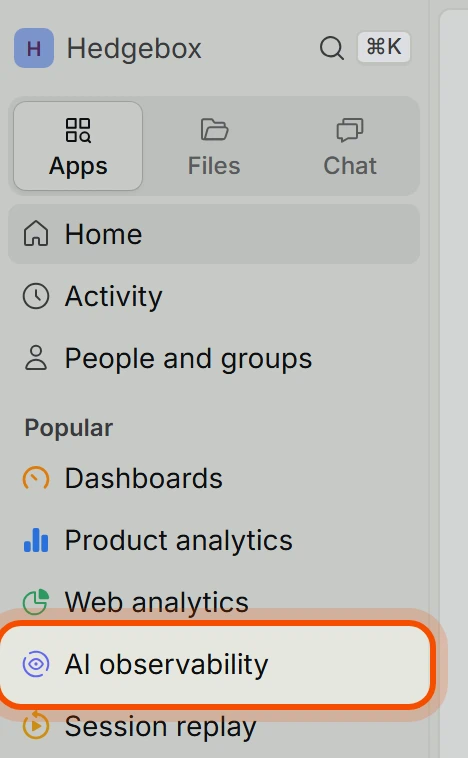
Click Apps in the left navigation, then AI observability.
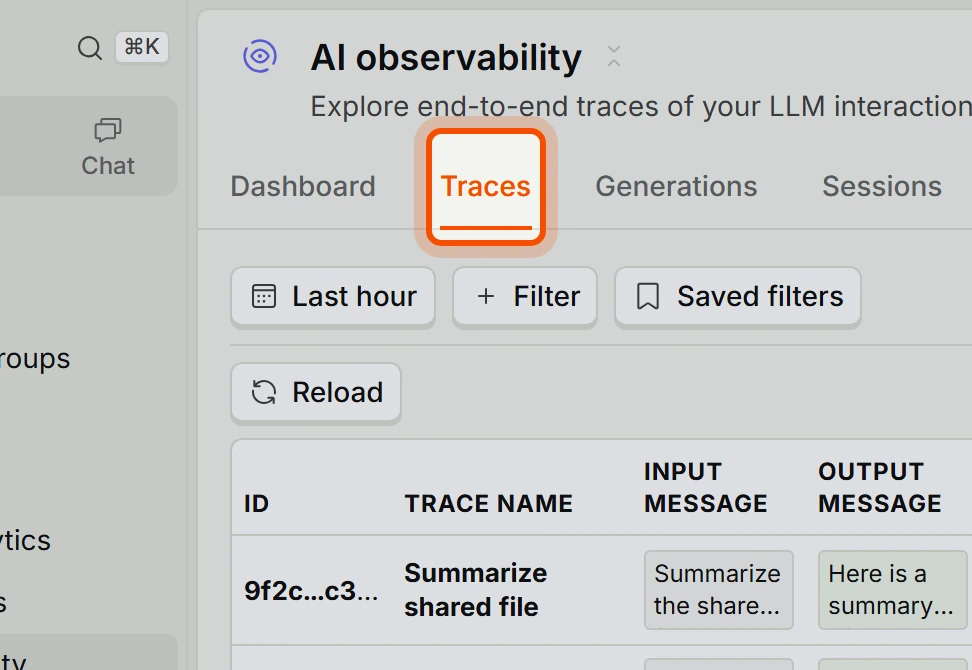
Click the Traces tab.
Find your call by its Trace Name, the
$ai_span_nameyou set, and read its Cost. The date picker starts at Last hour, so pick a longer range for older calls.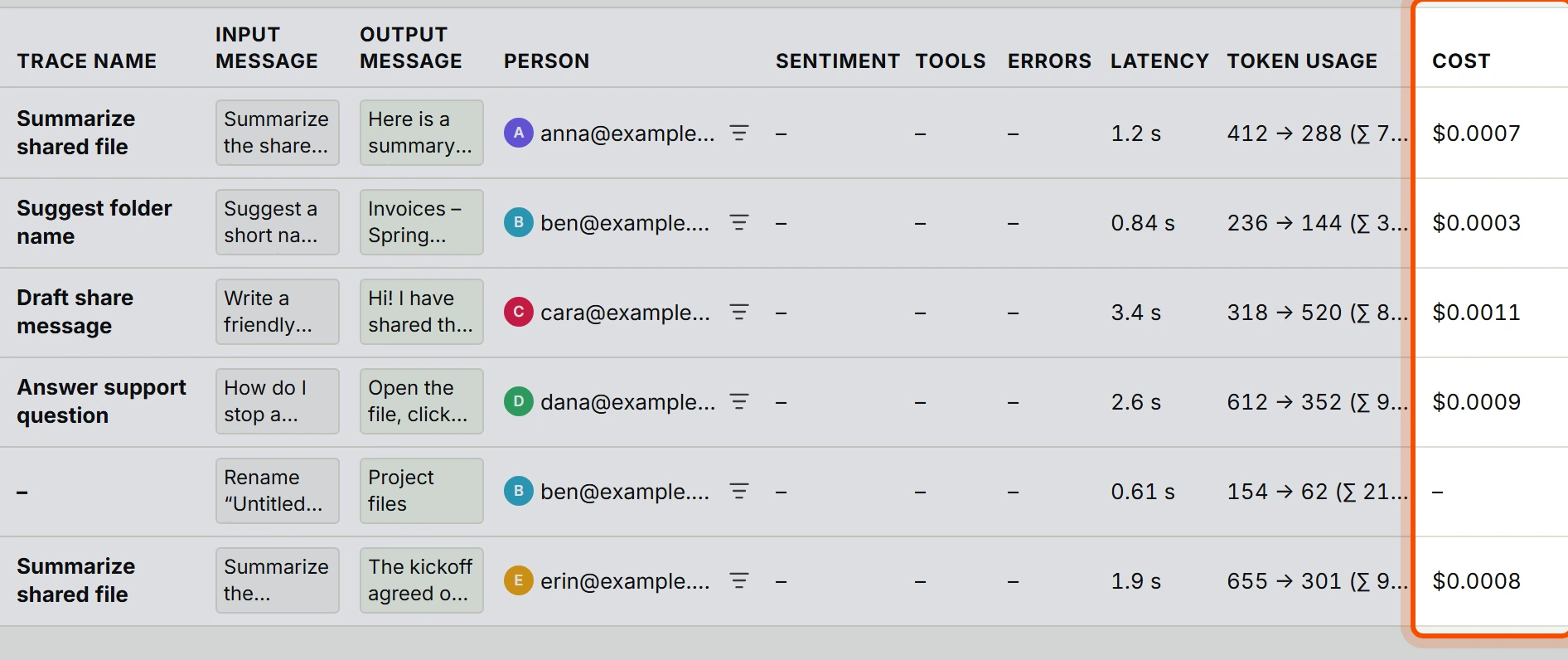
Click the trace's row to open it. The chip with the receipt icon, next to the token usage, shows what the whole trace cost. Hover it to see the cost split into Input, Output and Total.
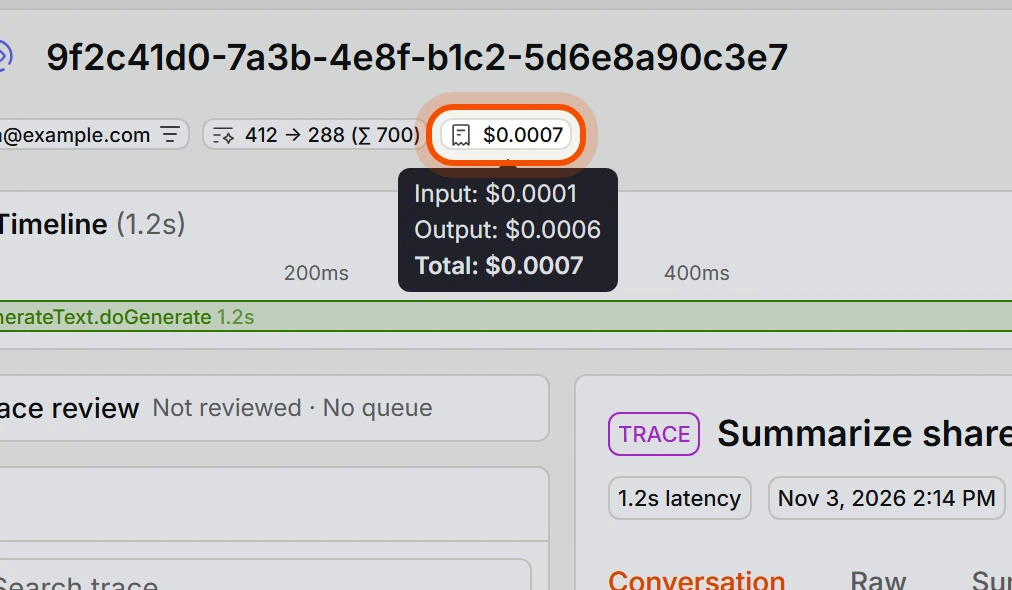
Why is my cost missing?
PostHog works out each call's cost, $ai_total_cost_usd, from its input and output tokens, its cache reads and writes, and any per-request or web search costs. A trace's cost is the sum of the costs of its generations and embeddings.
To find the model's prices, PostHog matches both $ai_provider and $ai_model. The cost can stay empty, and the table shows "–", when:
the call has no
$ai_model, so PostHog can't match a model;PostHog doesn't know the model;
the call reports no token counts, and no per-request, web search or pre-calculated cost.
Without $ai_model, or for a model PostHog doesn't know, set your own prices instead. Add $ai_input_token_price and $ai_output_token_price to posthogProperties. You need both, and each is the price of a single token, not of a million tokens.
Common problems
Nothing shows up in Traces. Widen the date range first: it starts at the last hour. In a serverless function, await phClient.flush() before you return, or events can be lost when the function stops. Then check that the token is this project's project token (phc_…), not a personal API key, and that the host matches your PostHog region.
A trace has no name ("–"). Set $ai_span_name in posthogProperties.