Server-side and serverless: don't lose events (flush and shutdown)
A server function can stop before PostHog has sent its events, so call the right flush or shutdown and then check that the events arrive.
Why events vanish
The Node and Python SDKs queue events and send them in batches in the background. A serverless runtime like AWS Lambda or Vercel Functions can freeze as soon as your handler returns, before those events are sent.
Your setup → what to call
Long-running server or worker:
await client.shutdown()once, when the process exits.Serverless function with a shared client:
await client.flush()before the handler returns, also when your code throws.A client made for one invocation:
await client.shutdown()after its last work. Don't reuse that client.One event that must go out now:
await client.captureImmediate(...).
In Python, the calls are posthog.flush() and posthog.shutdown().
Neither flush() nor shutdown() guarantees that PostHog received every event. Both can fail or time out.
Node.js
Create the client once, outside the handler, so later invocations in the same runtime reuse it. Await flush() in a finally block so it also runs when your code throws. This AWS Lambda example limits the wait to the time Lambda has left:
```js import { PostHog } from "posthog-node"
const client = new PostHog("<ph_project_token>", { host: "<ph_client_api_host>", flushInterval: 0, })
export const handler = async (_event, context) => { try { client.capture({ distinctId: "distinct_id_of_the_user", event: "thing_happened", })
client.capture({ distinctId: "distinct_id_of_the_user", event: "other_thing_happened", }) } finally { let flushTimeout try { const remainingMs = Math.max(0, context.getRemainingTimeInMillis() - 100) await Promise.race([ client.flush(), new Promise((_, reject) => { flushTimeout = setTimeout(() => reject(new Error("PostHog flush timed out")), remainingMs) }), ]) } catch (err) { console.error("PostHog flush failed", err) } finally { clearTimeout(flushTimeout) } } } ```
flush()has no overall timeout of its own. The example stops waiting 100 ms before Lambda's deadline, so the handler still has time to return.The timeout only limits the wait. It doesn't cancel the flush. On other platforms, work out the timeout from the request deadline.
Flush errors are caught and logged, so a PostHog problem doesn't fail the invocation or hide your own error.
flushInterval: 0turns off timer-driven flushing.flushAt: 1starts a background flush after each event. Neither one waits for delivery, so you still awaitflush().
On a long-running server, shut the client down once when the process exits:
``js await client.shutdown() ``
shutdown() stops feature flag polling and tries to send the remaining events. Its optional timeout is in milliseconds and defaults to 30000 (30 seconds). Don't call it after each request if you reuse the client. Use flush() instead.
To wait for one event's delivery attempt instead of queuing it:
``js await client.captureImmediate({ distinctId: "distinct_id_of_the_user", event: "thing_happened" }) ``
The Node.js SDK needs Node.js 20 or later (as of the docs snapshot of 31 Oct 2026).
If you create a client per request
The Vercel docs show a different pattern: a new client for each request, shut down after the response is sent. First, the client factory:
```js // app/posthog.js import { PostHog } from 'posthog-node'
export default function PostHogClient() { const posthogClient = new PostHog('<ph_project_token>', { host: '<ph_client_api_host>', flushAt: 1, // flush immediately in serverless environment flushInterval: 0 // same }) return posthogClient } ```
Then shut the client down with Next.js after():
```js // app/api/after/route.js import { after } from 'next/server' import PostHogClient from '../../posthog'
export async function POST(request) { const posthogClient = PostHogClient()
// ... other code ...
after(() => posthogClient.shutdown())
return new Response('Good job!') } ```
flushAt: 1 and flushInterval: 0 start sending sooner, but they don't wait for delivery. The shutdown() call is what waits. Don't use the client again after it.
after() needs Next.js 15.1 or later. For older versions, the Vercel docs use Vercel's waitUntil instead (as of the docs snapshot of 31 Oct 2026).
If you use @posthog/next on Vercel, you don't need to call shutdown() yourself. It detects waitUntil from @vercel/functions and sends events after the response. In other environments, pass createPostHog({ options: { waitUntil } }).
Python
Create the client:
```python from posthog import Posthog
posthog = Posthog('<ph_project_token>', host='<ph_client_api_host>') ```
Capture events with the user's distinct ID:
``python posthog.capture( "user_signed_up", distinct_id="distinct_id_of_the_user", properties={ "login_type": "email", "is_free_trial": "true" } ) ``
The Python client also buffers events. In a serverless function, pick one of these:
Shared client: call
posthog.flush()before the handler returns, also when your code throws. It blocks while it tries to send the queued events. Itstimeout_secondsargument defaults to 10.Client for one invocation, or process exit: call
posthog.shutdown()after its last work. It takes no timeout argument. Don't reuse the client afterward.Or turn on
sync_modewhen you create the client. Then eachposthog.capture()call tries to deliver its event before it returns.
With the async client AsyncPosthog, keep one client for the whole app. Use await capture_immediate() when an event must wait for delivery, and call await posthog.shutdown() once when the app shuts down.
These docs cover version 7.x of the Python SDK, which needs Python 3.10 or later. AsyncPosthog needs version 7.45.0 or later (as of the docs snapshot of 31 Oct 2026).
Check it in PostHog
Set up the filter before you run your function. Changing a filter clears the live list.
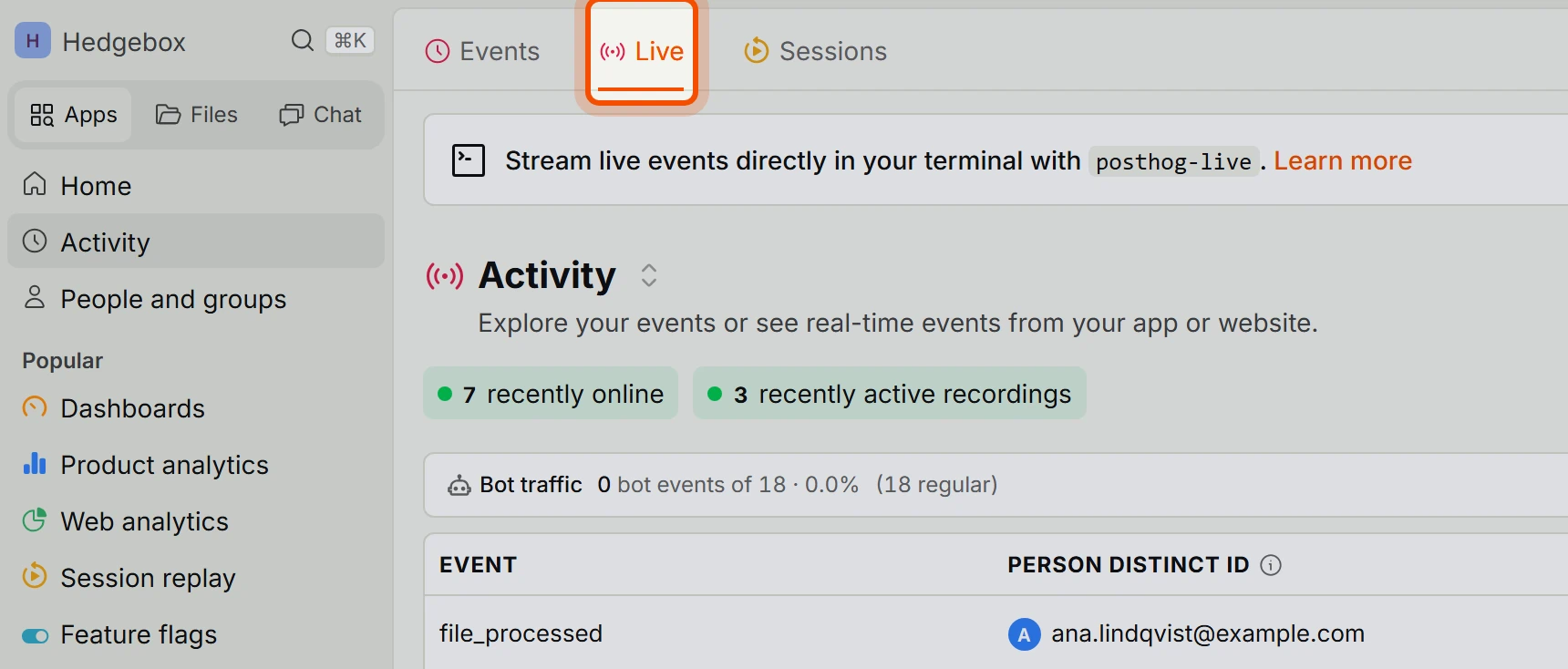
In Activity, click the Live tab.
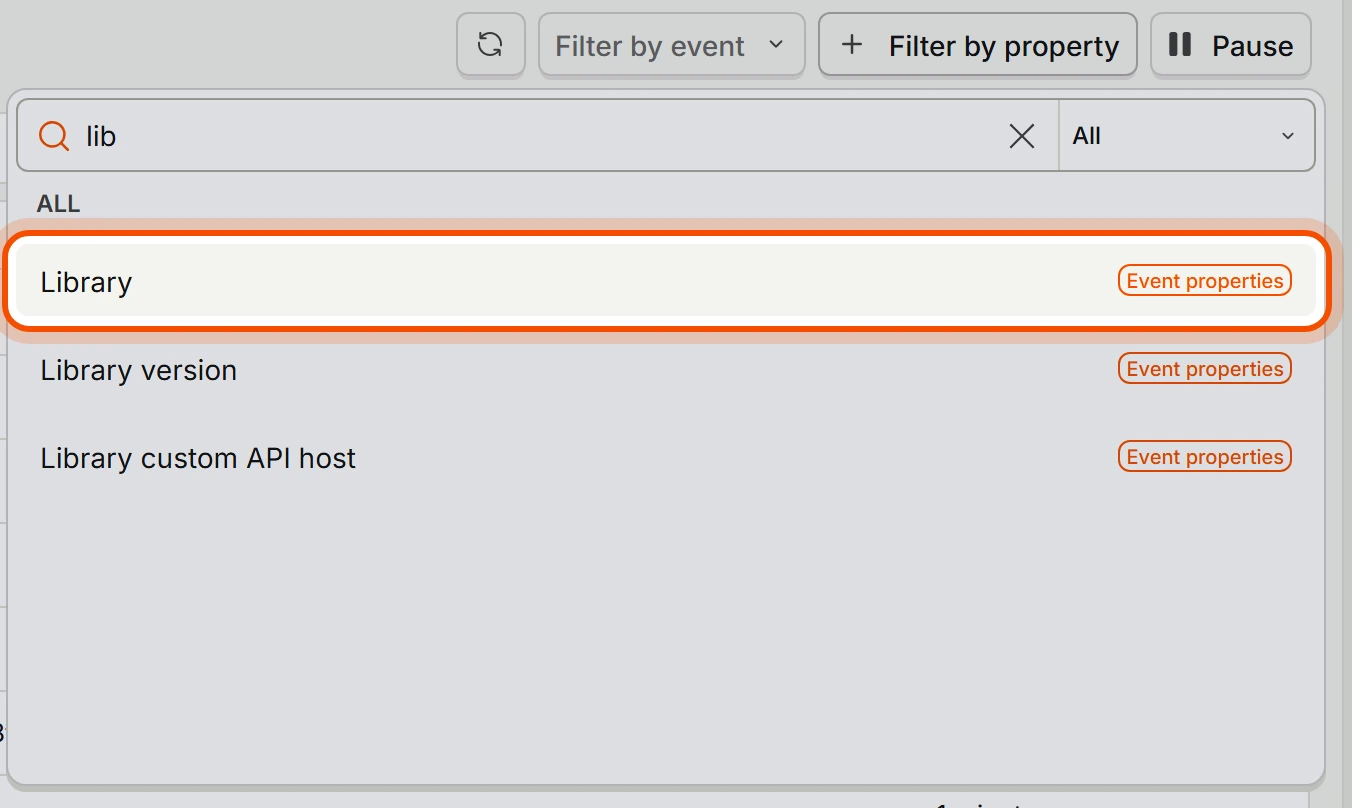
Click Filter by property, type "lib" and pick Library.
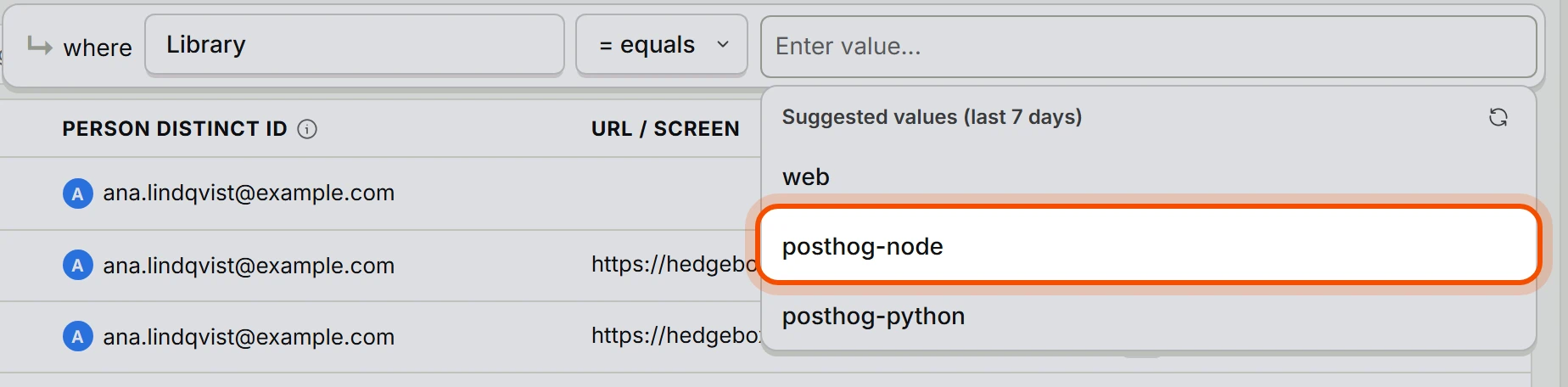
Pick posthog-node, or posthog-python if your server uses Python. The filter now reads Library = posthog-node.
Run your function. Its events appear at the top, and Person distinct ID shows the ID you passed.
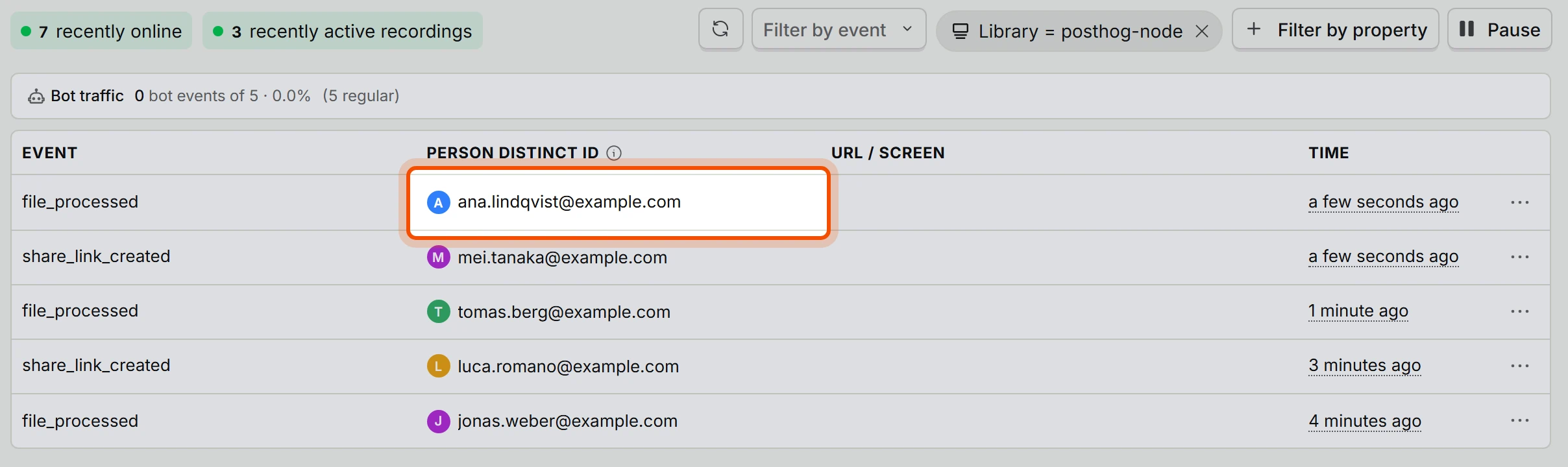
The URL / Screen cell stays empty for server events. Live keeps the latest 100 events. Older events are on the Events tab, which shows the last hour by default.
Common problems
Events arrive locally but not from Lambda or Vercel
The runtime froze before the queue was sent. With a shared client, await flush() before the handler returns, as in the Lambda example. With a client made for one request, await shutdown() after its last work.
await client.shutdown() times out
shutdown() waits up to 30 seconds by default while it tries to send events. If you reuse the client across invocations, don't call shutdown() per request. Await flush() with a timeout based on the time left, and catch and log the error, as in the Lambda example.
A PostHog error crashes my function
The SDK doesn't throw errors for problems in the background. Wrap your awaited flush() in try/catch and log the error, as in the Lambda example. To see background errors, listen for them:
``js client.on("error", (err) => { // Whatever handling you want console.error("PostHog had an error!", err) }) ``
Server events don't join the user's person
Server SDKs have no anonymous session to merge. Pass the same distinct ID that your frontend uses for that user. Replace placeholders like distinct_id_of_the_user with the real ID. PostHog silently rejects values like distinct_id, null and anonymous when it merges persons. In Python, an event without a distinct ID or context gets a random ID and no person.
All background-job events land on one person
A shared ID like "system" or "cron" puts every event on one person profile. Give each job run its own random ID, such as a UUID, and set $process_person_profile: false in the event properties.
Django autocapture doesn't capture anything
Server libraries can't autocapture clicks or pageviews or record sessions. Capture server events yourself with posthog.capture(). Autocapture needs a client-side library in your frontend.