When to call identify, reset and alias, by app type
Call them at the right moments so each person shows up once with their whole history, and people who share a device don't end up in one profile.
A random ID per browser or device. Before anyone logs in, PostHog gives each browser or device an anonymous ID, and its events are anonymous.
identify()at signup or login. It joins that anonymous ID to your user ID. You get one person with the whole history, from before and after login.reset()at logout. It unlinks the device from that user, so the next person on the same device isn't added to them.
The default web snippet uses person_profiles: 'identified_only', so anonymous visitors get no person profile until you call identify. After identify, that person's future events are billed as identified events. Past events are still billed as anonymous.
What to call in your app
Single-page web app
Call identify when: the app loads and the user is already logged in, and directly after login or signup. For example
posthog.identify('user-456', { email: 'lena.ortiz@example.com' }). Once per session is enough: calling it again with the same ID doesn't create another Identify event.Call reset when: the user logs out:
posthog.reset(). Do it even if you don't expect people to share a computer.Need alias? No.
Server-rendered web app
Call identify when: a logged-in user loads a page, including the first page after login. The PostHog snippet runs in the browser, so this is a frontend call, the same as in a single-page app.
Call reset when: the user logs out, in the browser:
posthog.reset().Need alias? Usually not. Have your backend calls use the same ID as the browser. In Python,
identify_context(str(request.user.pk))insideposthog.new_context()does this, as long asstr(request.user.pk)is the same ID string the browser passes toidentify(). In Node, wrap your capture calls inposthog.withContext({ distinctId: 'user-456' }, …).
Mobile app
Call identify when: the app opens and the user is already logged in, and directly after login or signup.
Call reset when: the user logs out. iOS:
PostHogSDK.shared.reset(). Android:PostHog.reset(). React Native:posthog.reset(). Flutter:await Posthog().reset();.Need alias? No.
If you change the personProfiles setting, the change only reaches users who update to the new app version.
Backend events
Call identify when: not needed to join IDs, because backend SDKs have no anonymous session. Send every event with the same
distinct_idstring the frontend uses."user-456"and"456"are two different people. PHP and Ruby have anidentifycall, but there it only sets person properties.Call reset when: not needed. Reset is a frontend call for logout.
Need alias? Only when part of your backend can't see the frontend ID. Then link the two IDs with alias (see below).
For jobs that aren't tied to a user, don't use a shared ID like "system". Give each run its own random ID, for example crypto.randomUUID(), and set $process_person_profile: false on its events.
About alias
Most apps never need alias. It links two IDs you own, for example a backend ID and a frontend ID: posthog.alias('backend_id', 'frontend_id'). Events sent with either ID then belong to the same person.
The alias ID must not have been used before as the distinct_id of an identify() or alias() call. An identified person can't be merged in this way.
Check it in PostHog
In the left menu, on the Apps tab, click People and groups.
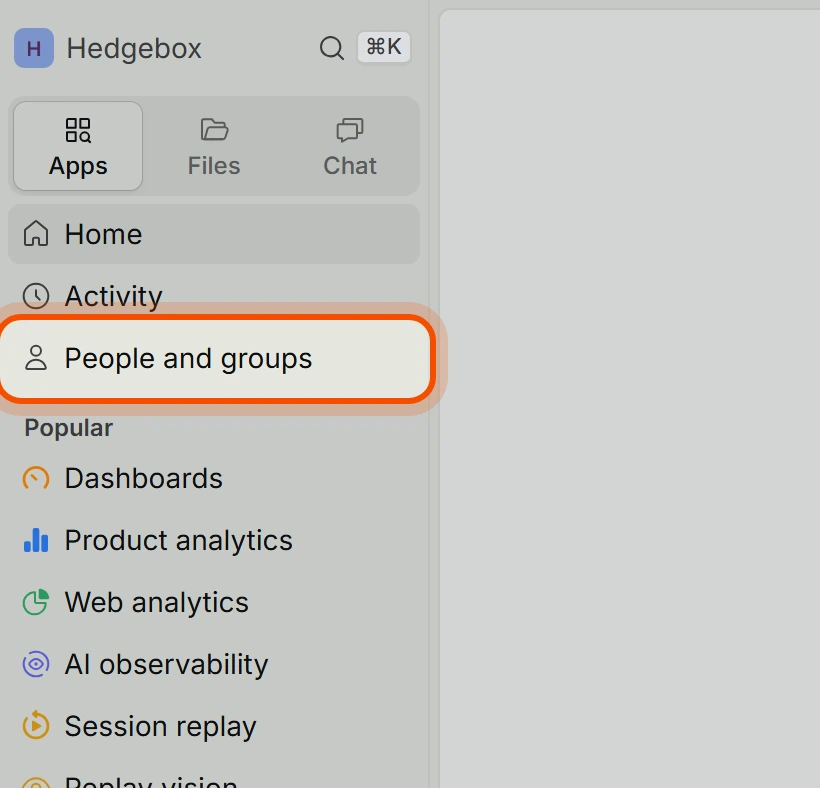
It opens on the Persons list.
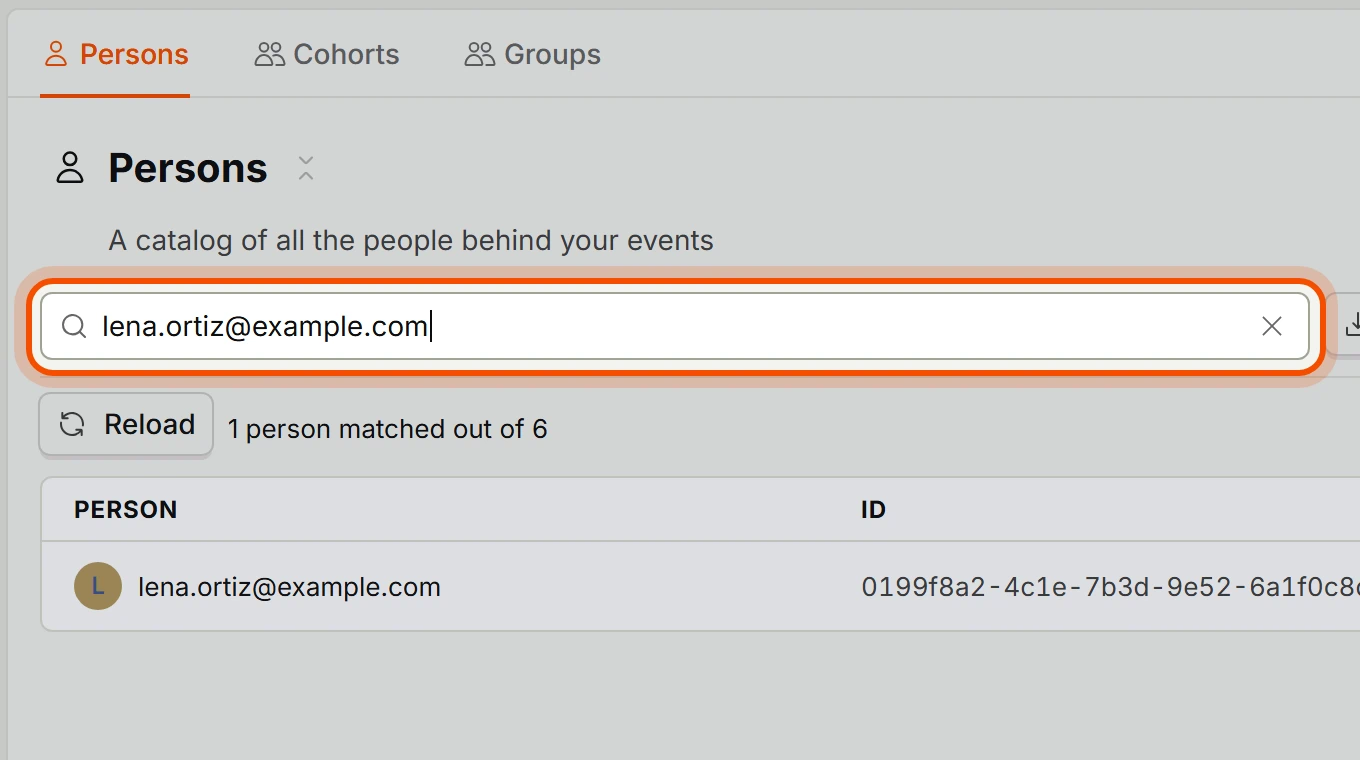
In the search box, type the user's email or ID, for example lena.ortiz@example.com. Then click the person in the list.
Click +1 next to IDs: to see the person's other IDs.
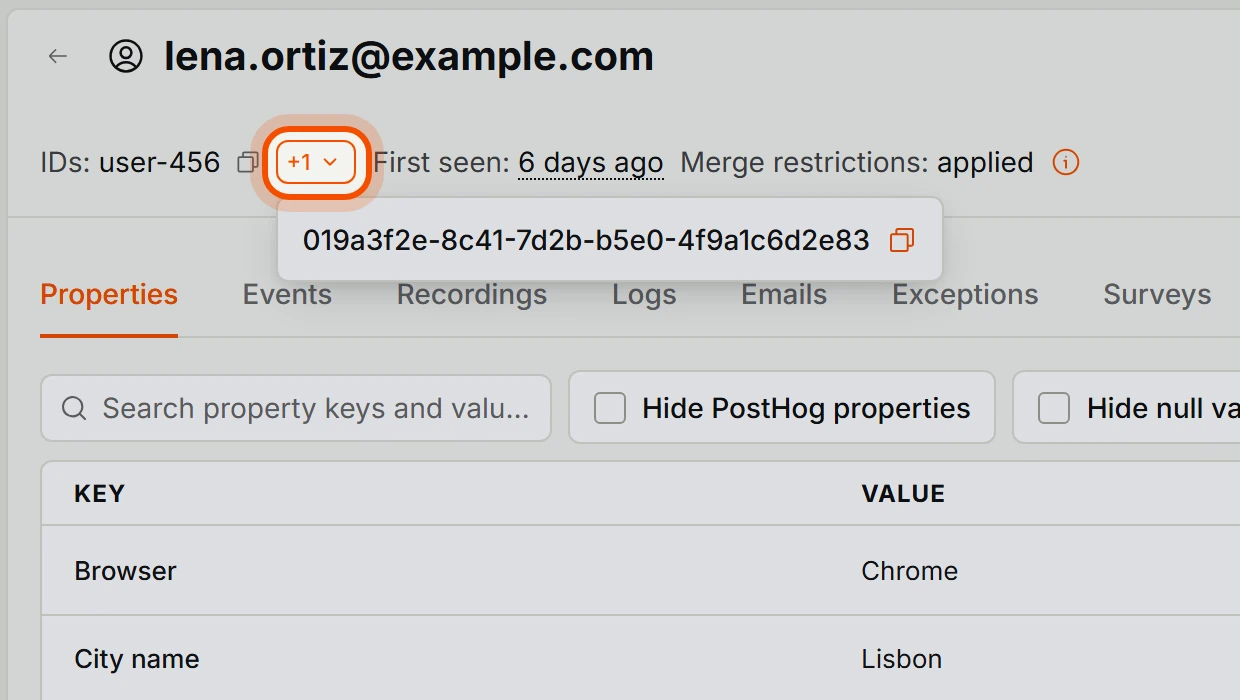
The browser's anonymous ID should be in the list. The order of the IDs isn't fixed. In the same row, Merge restrictions: reads applied once the person is identified.
Click the Events tab and look for an Identify event.
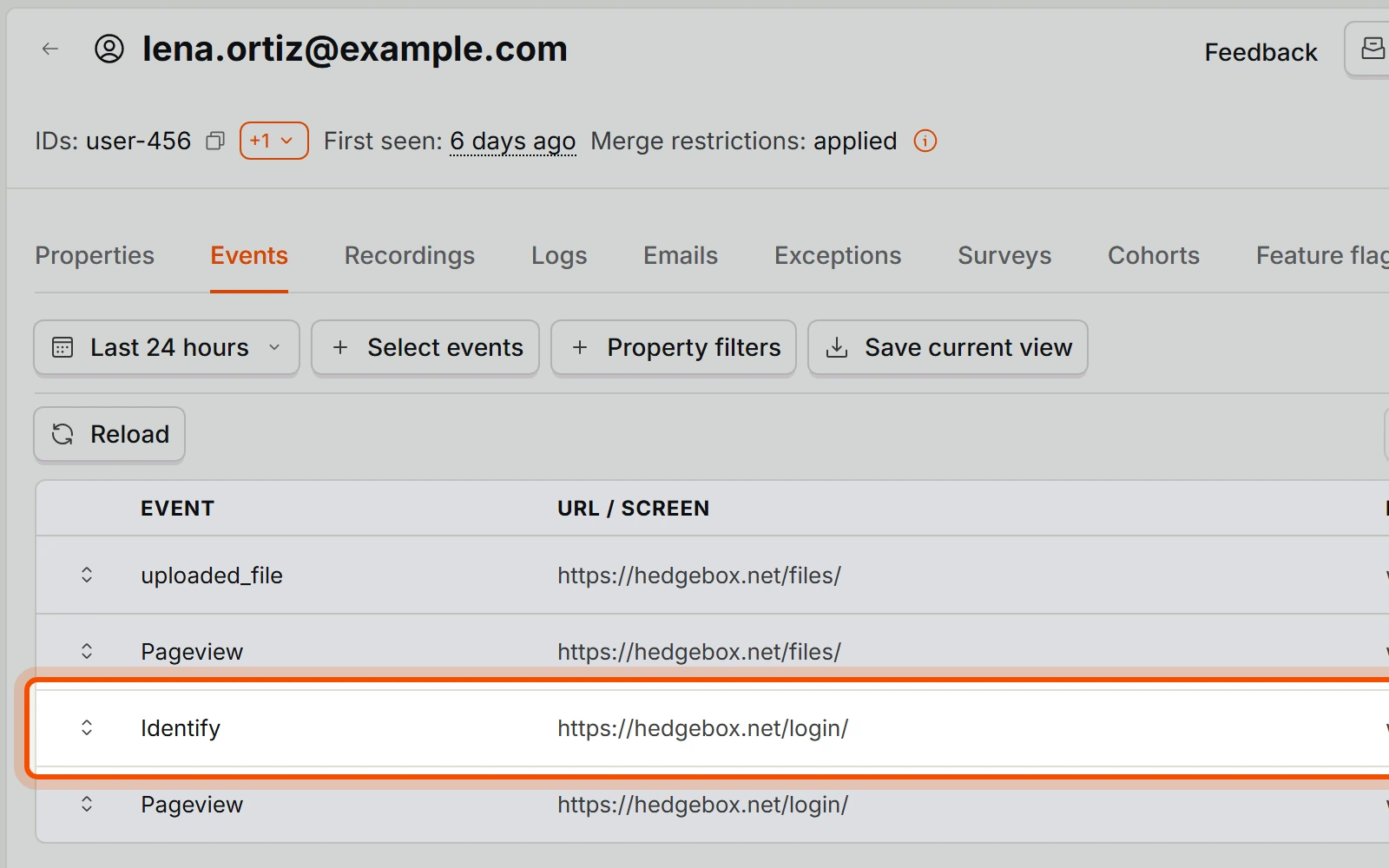
The tab shows the last 24 hours by default.
A person who was never identified shows as a long ID string instead of a name or email. All of a person's IDs are in the IDs: menu. There's no separate tab for them.
Common problems
Everyone logs in, but the Persons list is empty or people show as anonymous. The Persons list only shows identified persons. The empty list says "This page only shows identified persons. Try adjusting your property filters, or make sure you're calling identify in your app." Call identify directly after login, and when the app loads with a user already logged in.
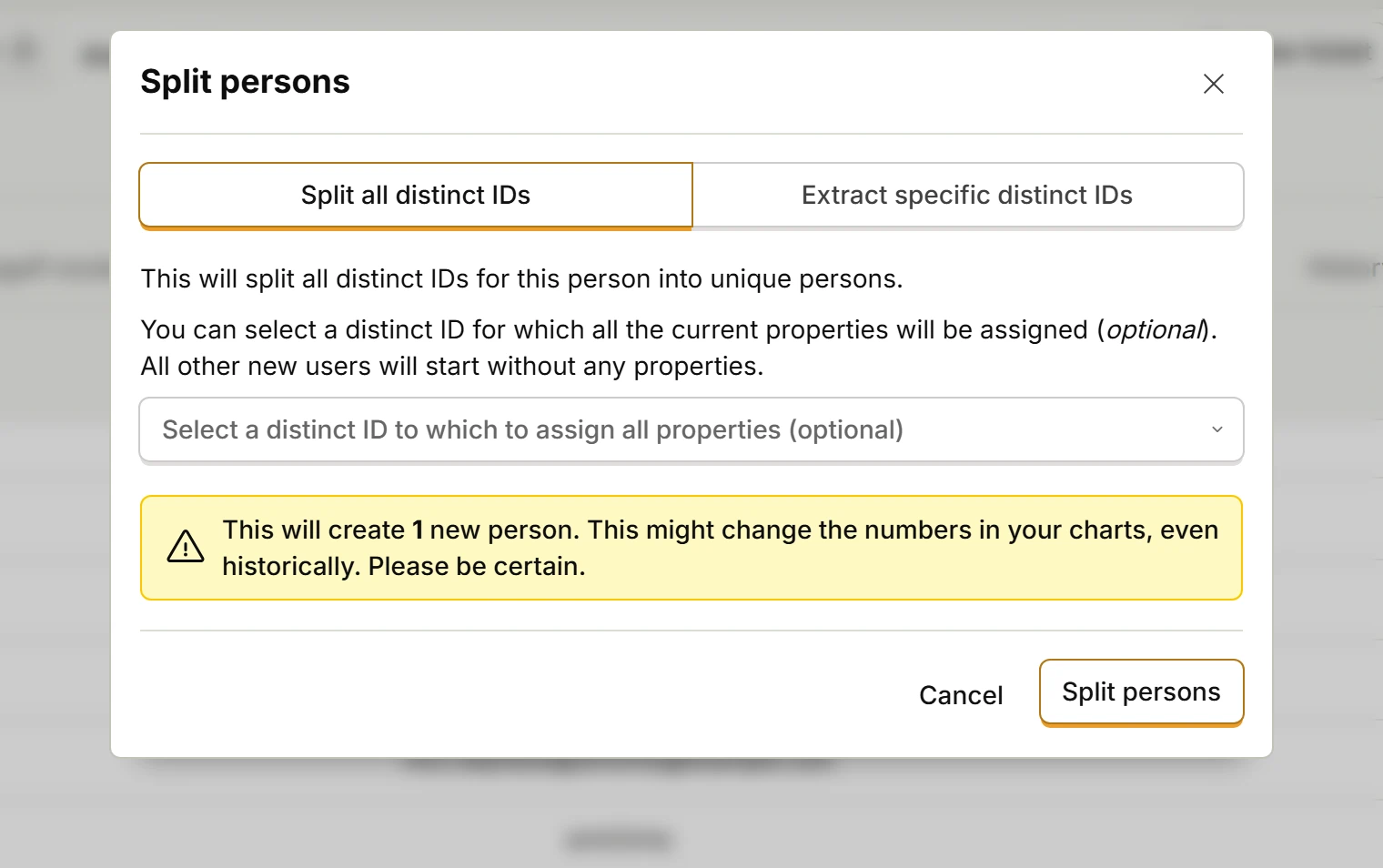
Two people share one profile. Reset wasn't called at logout on a shared device. Add reset() to your logout code. To separate the IDs already joined, open the person and click Split IDs in the top right. The button only shows when the person has more than one ID. In Split persons, choose Split all distinct IDs or Extract specific distinct IDs. Future events are kept apart. For past events there's no guarantee, and the numbers in your charts can change, even historically. There's no button to join persons back together, so be sure before you split.
Backend events land on a separate person. The backend sends a different ID string from the frontend, for example "456" instead of "user-456". Send exactly the same string in both places.
alias didn't join the IDs. The alias ID already belongs to an identified person. On that person's page, Merge restrictions: reads applied, and its tooltip says it cannot be used as alias_id. PostHog keeps the event but refuses the merge, and shows it as an ingestion warning: "Refused to merge an already identified user". Use an ID that was never identified as the alias ID.
One person holds the events of many backend jobs. The jobs all send a shared ID such as "system". Give each run its own random ID and set $process_person_profile: false. Turning off person processing alone doesn't fix a shared ID. If a job runs for a real user, send that user's own ID instead.
Watch it
Prefer to watch? The video Anonymous vs identified users, explained (3:11) covers the same ground.
0:00 One browser, one random ID
0:33 identify() at signup
1:06 reset() at logout
1:32 alias, briefly
1:58 Check a person in PostHog
2:34 When one profile holds two people